SimpleSERP starts at $5 per month for 50 keywords, which makes it a fraction of the cost of most enterprise rank trackers. AccuRanker sits at the other end of the market. It is built for agencies and large teams that track keywords by the thousands. So which one fits you? It depends on how many […]
28. oktober 2026
Hussein Ali CEO & Founder
SimpleSERP starts at $5 per month for 50 keywords, which makes it a fraction of the cost of most enterprise rank trackers. AccuRanker sits at the other end of the market. It is built for agencies and large teams that track keywords by the thousands.
So which one fits you? It depends on how many keywords you track, how many clients you report to, and how much of the feature list you will actually use. This guide compares SimpleSERP vs AccuRanker.com on the points that decide the choice.
Key Takeaways
SimpleSERP: $5 per month for 50 keywords, daily Google tracking.
AccuRanker targets agencies and enterprise teams that need scale.
Match keyword count and update frequency before comparing prices.
Solo users rarely need enterprise features they will pay for anyway.
Check AccuRanker’s current pricing and limits on its own site.
Outgrow a basic tracker when client reporting becomes your bottleneck.
The Quick Verdict: Who Should Pick Which
Choose SimpleSERP if you are a freelancer, a small business owner or part of a lean in-house team. You want daily Google positions, clear change views and notes, and you do not want to pay for a platform you will use at 10%.
Choose AccuRanker if you manage many clients, track thousands of keywords or need advanced agency workflows. It is the larger, enterprise-oriented tool. You pay more, but you get room to grow.
Neither tool is “better” in general. The right question is how big your tracking job is today and where it will be in a year.
One caution about this comparison. I describe AccuRanker in general terms, as a bigger tool aimed at agencies and enterprises. Plans, limits and prices change, so confirm the exact numbers on its pricing page before you decide.
Side-by-Side Comparison Table
Here are the criteria that differ most for a buyer. Where the two tools tie, the table says so.
Criteria
SimpleSERP
AccuRanker
Entry price
$5 per month for 50 keywords
Higher entry point; verify on its site
Main audience
Freelancers, small businesses, lean teams
Agencies and enterprise teams
Daily Google tracking
Yes
Yes (verify current plan details)
Country or city tracking
Yes
Yes (verify city coverage)
Ranking-change analysis
Yes
Yes, with deeper tools (verify)
Keyword organization
Folders and notes on each keyword
Advanced grouping for large lists (verify)
Dashboard sharing
Yes
Yes, built for many clients (verify)
Setup effort
Short; 7-day free trial, no credit card
More options to configure
Scale
Plans from 50 up to 5,000 keywords
Built for very large keyword sets
Contract
Cancel anytime, no long-term contract
Verify terms on its site
Notice what is the same. Both track Google positions daily, and both let you target a location. Those basics do not separate them.
What separates them is scale, workflow depth and price. The next sections break that down.
Pricing and Keyword Limits: Compare the Right Numbers
A sticker price means little on its own. A $5 plan and a $200 plan are not the same product if one covers 50 keywords and the other covers 5,000.
Match keyword volume first
Start by counting the keywords you need to track. Then compare the cost for that count, not the headline price.
Here is a simple example. A local plumber with one site might track 40 keywords: service terms plus a few city names. A 50-keyword plan covers that. A small agency with 10 clients at 100 keywords each needs 1,000 tracked keywords. That is a very different buying decision.
SimpleSERP’s entry plan is $5 per month for 50 keywords. Its plan slider runs from 50 to 5,000 keywords, so you can scale up inside the same tool. You pay only for the keyword plan you need, with no hidden fees.
Match update frequency second
Check how often positions refresh. Daily updates matter when you want to link a ranking drop to a site change or an algorithm update. Weekly updates hide those links.
Both tools offer daily Google tracking, so this criterion is a tie. Just confirm that daily refresh applies to your plan tier at AccuRanker, since limits can vary by plan.
Check what you would never use
Enterprise plans often bundle features for large teams. If you are a solo consultant with one or two sites, you may pay for white-label reports, many user seats and API-heavy workflows that you never open.
That is the most common overspend in this category. Price the tool for the work you do now, plus a realistic next step.
Daily Tracking, Locations and SERP Data
For most buyers, these three things are the core of a rank tracker. They are also where the two tools look most alike.
Daily positions
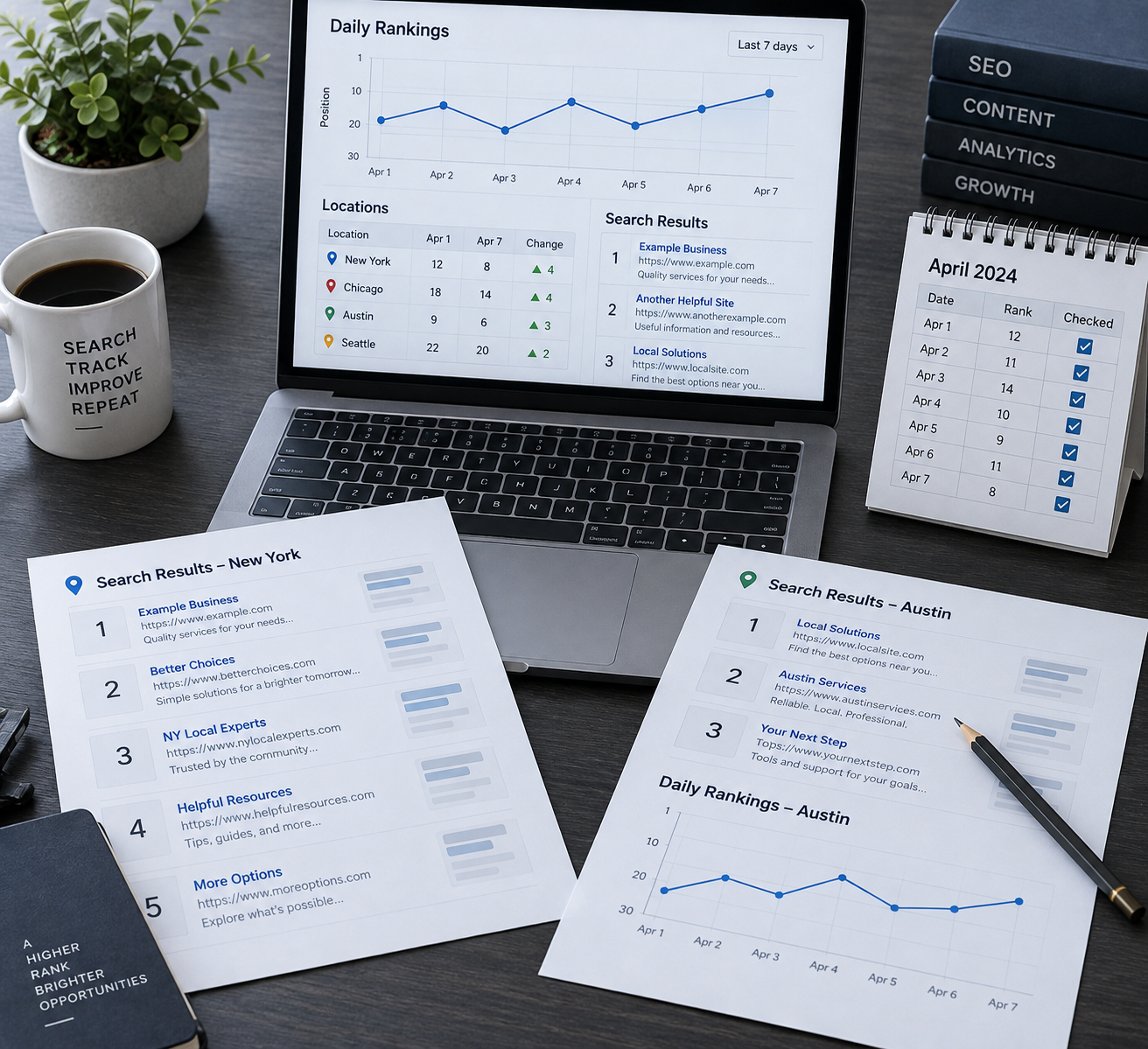
SimpleSERP checks your Google keyword positions every day. You see where each keyword sits, how it moved and when it moved. Watcher emails alert you when watched keywords lose positions, and a weekly email summarizes performance.
AccuRanker also offers daily tracking and is built to handle it across very large keyword sets. The difference is volume, not the basic idea.
Country and city tracking
Local results differ a lot. A search for “dentist” in Austin, Texas shows different listings than the same search in Denver. If you serve a local market, you need city-level tracking.
SimpleSERP supports location-based tracking by country or city. AccuRanker also supports location tracking. If you need very fine local detail across many markets, check its location list on its site before you commit.
SERP and search volume insights
SimpleSERP shows SERP and search volume data next to your rankings. This helps you decide which keywords deserve attention. A keyword that ranks 8th with 5,000 monthly searches is worth more work than one that ranks 3rd with 20.
AccuRanker is known for deeper SERP features and analysis at scale. If you only need to see who ranks above you and how much traffic a term could bring, a simpler view is enough.
That definition is worth keeping in mind. Every tool does this one job. The rest is workflow.
Ranking-Change Analysis and Keyword Organization
Raw positions are not very useful. What you need is to see what moved, why it may have moved and what you did about it.
Seeing what changed
SimpleSERP includes ranking-change views, so you can spot winners and losers fast. Instead of scanning a list of 50 rows, you see which keywords gained or lost positions.
A practical routine looks like this:
Open the change view each Monday.
Note any keyword that dropped three or more positions.
Check whether you edited that page recently.
Compare against the search results for that term.
Write a note on what you plan to change.
Review the keyword again after a week.
Notes and folders
SimpleSERP lets you add notes to each keyword. Use them to record what you did: “Rewrote title tag, added FAQ section.” Months later, you can see whether the action moved the ranking.
You can also organize keywords into folders, for example by page, service or client. For a list of 50 to a few hundred keywords, this is plenty.
AccuRanker offers more advanced grouping and filtering, which matters when you manage tens of thousands of keywords. For a small list, that depth adds clicks without adding insight.
Who wins here? For a small site, it is a tie in practice. For a big portfolio, AccuRanker has the edge.
Reporting and Dashboard Sharing
Reporting is where many freelancers and agencies feel the difference most. The question is how you show results to someone who does not read SEO data every day.
Sharing with clients or your boss
SimpleSERP supports dashboard sharing, so you can give a client or manager a view of rankings without exporting files each month. For a freelancer with three to ten clients, this is often enough. You send a link and the client sees current positions.
AccuRanker is built with agencies in mind and offers deeper reporting options. If you need branded, scheduled reports for 30 clients, that is where a larger platform earns its price.
What SimpleSERP does not try to be
SimpleSERP is a rank tracker. It is not a full SEO suite, and it does not replace your other tools. If your reports need many data types in one polished template, plan to build them elsewhere or pick a bigger platform.
Ask yourself:
Do my clients want a link they can check, or a formatted PDF every month?
How many reports do I build each month?
Does reporting take me more than a few hours a week?
Would branded reports help me win or keep clients?
If you answer yes to the last two, a bigger tool starts to make sense.
Is a Cheap Rank Tracker Accurate Enough?
Yes, in most cases. A low price does not mean poor data. It usually means a narrower feature set and fewer extras.
Accuracy depends on how a tool collects results: the search engine, the location, the device and the time of day. Two trackers can show a keyword at position 4 and 5 on the same day. That gap comes from personalization, location and timing, not necessarily from a flaw.
So do not assume a $5 tracker is less accurate than a $500 one. Test it instead:
Pick five keywords you know well.
Search them yourself in a private window, with the right location.
Compare the results to the tracker.
Watch the trend over two weeks.
The trend matters more than any single number. If the line moves the same way in both tools, the data is good enough for reporting.
SimpleSERP offers a 7-day free trial with no credit card, which is enough time to run this test on your own keywords.
When to Outgrow a Basic Tracker
A small tracker is the right call until something specific breaks. Here are the signals that it is time to move up.
Signs you have outgrown it
You track more than a few thousand keywords and need heavy filtering.
You manage 15 or more clients and need branded reports.
You need many user seats with different permissions.
You want to connect rank data to other systems through advanced integrations.
Your reporting takes longer than your actual SEO work.
If two or more of these are true, a platform like AccuRanker is a sensible next step.
Signs you have not
Many people upgrade too early. If you track under 500 keywords, report to one or two stakeholders and spend your time on content, a bigger tool mostly adds cost. Worse, it adds menus you must learn.
A good rule is to upgrade when the tool slows you down, not when it feels “too small.”
The cost of switching late
Moving tools is not painful if you plan ahead. Keep your keyword list and notes in a simple spreadsheet. That way you can import them into a new tracker without losing history of what you changed.
When Not to Choose SimpleSERP
It helps to be direct here. SimpleSERP is the wrong choice in some cases.
Skip it if you need a single platform that handles backlink analysis, site audits and keyword research along with rank tracking. SimpleSERP does one job, which is Google rank tracking. You would pair it with other tools for the rest.
Skip it if you run an agency with dozens of clients and need advanced, white-label reporting templates. A larger tracker fits that workflow better.
Skip it if you plan to track tens of thousands of keywords. An enterprise tool will handle that load more comfortably.
Choose SimpleSERP when your needs are narrower:
You are a freelancer with a few clients.
You own a small site and want to watch 50 to a few hundred keywords.
Your in-house team wants clear daily positions without a long setup.
You want to cancel anytime without a long-term contract.
Final Verdict: Choose by Your Keyword Count and Workflow
Use this as a quick map:
Choose SimpleSERP if you track roughly 50 to a few hundred keywords, work solo or in a small team, and want daily Google positions for $5 per month to start.
Choose AccuRanker if you manage many clients, track thousands of keywords and need agency-grade reporting and workflow depth.
Choose neither yet if you need backlink data, audits and keyword research in one place. Look at a full SEO suite instead, and add a simple tracker later if you need one.
Before you buy, do three things. Count your keywords. Confirm AccuRanker’s current price and limits on its own site. Then test the cheaper option on your real keywords.
Conclusion
Right-size the tool. If 50 keywords cover your site, start small and pay $5 per month. If your client list or keyword count grows past what one dashboard handles, move to a larger platform.
You can test SimpleSERP with the 7-day free trial, no credit card needed. Load your real keywords, watch a week of daily positions and see whether it covers what you need.
Frequently Asked Questions
Is SimpleSERP or AccuRanker better for a small business?
SimpleSERP usually fits a small business better. It starts at $5 per month for 50 keywords and tracks Google daily. AccuRanker is built for larger agencies and enterprises, so a small site may pay for features it never uses.
How much does AccuRanker cost compared to SimpleSERP?
SimpleSERP’s entry plan is $5 per month for 50 keywords. AccuRanker’s pricing is aimed at larger needs and changes over time, so check its pricing page for current plans, keyword limits and update frequency before comparing.
Can I track rankings by city with each tool?
Yes. SimpleSERP supports location-based tracking by country or city. AccuRanker also offers location tracking. If you need many small local markets, confirm that AccuRanker covers your exact cities before you subscribe.
When should I outgrow a basic rank tracker?
Move up when your tracker slows you down. Common signs are thousands of keywords, 15 or more clients, a need for branded reports or many user seats. If you track under 500 keywords for one or two stakeholders, stay with a simple tool.
Try SimpleSERP free for 7 days
Discover transparent, reliable rank tracking with no hidden fees and no commitment.


 Cancel anytime

